• Skip to content
  • Skip to primary sidebar

Unconventional Wisdom - The Tuvel Communications Blog

Engaging Your Customers in Unconventional Ways

Header Right

  • About
  • Services
    • Attendee Marketing
    • Speaker Acquisition
    • Influencer Marketing
    • Advocacy Campaigns
    • Social Media Outreach
  • Case Studies
  • Contact Us

Social Media

5 Social Media Infographics You MUST Read

April 11, 2012 by Kari Rippetoe

Who doesn’t love an infographic? We sure do! And there are lots of them out there – but not all of them provide information you can take away and use. These are 5 social media infographics we think present truly useful information – whether you’re kick-starting social media efforts or looking to improve your current social media program.

Social Media Infographics

Social Media Advertising Reaching New Heights: If running ads on social networks like Facebook is something you’re considering, this infographic provides some helpful guidance on the current landscape and how valuable social media ads are to marketers.

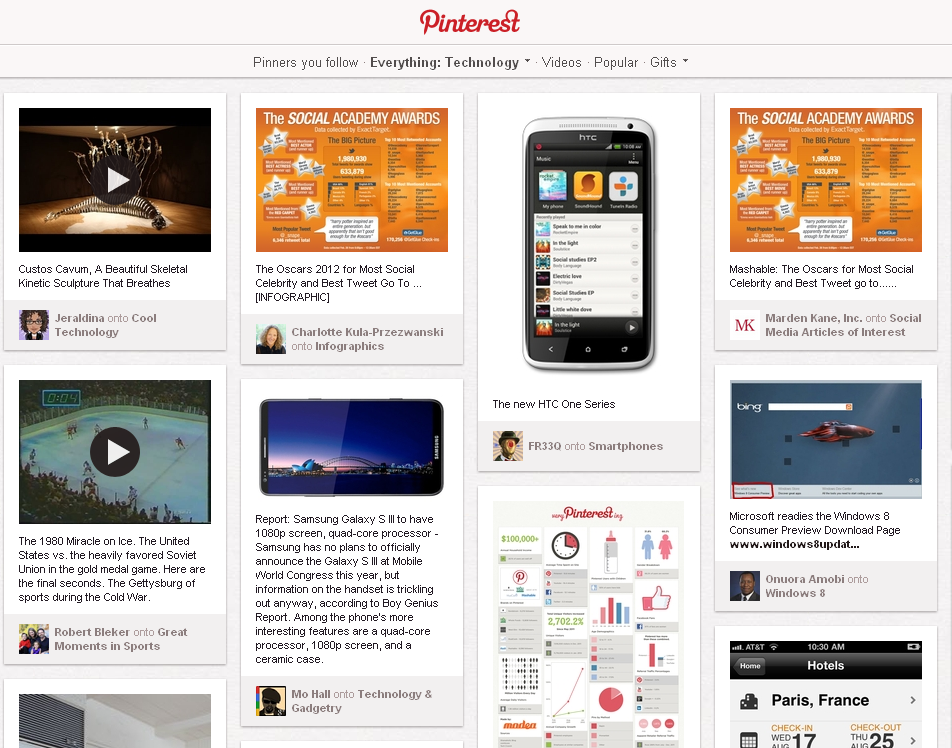
Pinterest Deconstructed for eTailers and Content Marketers: Pinterest is the 3rd most popular social network on the web at the moment, and this infographic gives you the “who, what, where & when” to help you utilize Pinterest effectively.

How to Train Employees to Handle Social Media: According to this infographic, 48% of senior financial executives (apparently the industry used for this survey) feel that “social media will be an important component of corporate marketing efforts going forward.” So how can you train your employees to handle these efforts in the most effective way possible? This is an excellent how-to infographic.

7 Reasons to Embrace Online Culture: We have a saying here at Tuvel: Social media isn’t just Twitter, Facebook and LinkedIn – it’s all about being social. It’s not enough to just be on social media, your brand must be social to survive and benefit. This infographic gives 7 reasons why.

Email Marketing + Social Media: We have another saying here at Tuvel: It’s not one thing you do, it’s everything you do. So if you’re not integrating social media and social sharing into your email campaigns, you’re missing out on some big marketing benefits.

What are the most useful social media infographics you’ve seen?
Filed Under: How-Tos, Marketing, Social Media, Social Media Marketing, Tips & Best Practices, What We're Reading Tagged With: infographics, pinterest, social media, social media marketing

HOW TO: Effectively Use Pinterest for Events

February 27, 2012 by Kari Rippetoe

Hi, I’m Kari, and I’m a Pinterest addict.

Pinterest for EventsI was wary about it at first (“Ugh, not another social network!”), but after using it for a few months, I totally see what the attraction is and why it’s driving more traffic than Google+, YouTube and LinkedIn combined. People love pictures, and Pinterest capitalizes on that.

Brands are slowly beginning to pick up on this popularity and leveraging it as part of their social media marketing efforts. And events are no different. They have a unique opportunity to further engage attendees and convey information through a more visual medium. A picture paints a thousand words, and events can tell an engaging story on Pinterest.

Here are 5 tips to help you get started on Pinterest to promote your event:

Make your pins visually compelling. On Pinterest, visual rules the day. This is what makes Pinterest so popular – images that compel users to learn more. Take an inventory of photos you have that will be of visual appeal, such as speaker photos, venue photos, infographics, and even videos (yep, you can pin those too!).

Create well-organized & relevant boards. Because Pinterest gives users the option to follow a person (and all of their boards) or just individual boards created by a person, it’s important to plan your boards to appeal to different interests your attendees will have. For example, if you offer several tracks of conference sessions, consider creating a board for each track that includes photos of speakers. Have photos from last year’s show? Create a special board to share them.

Categorize your boards properly. Apart from just browsing through the pins of the people they’re following, Pinterest users like to browse through Pinterest categories to find new things from people they don’t follow, so make sure you categorize your boards appropriately. You can only add a board to one category, so make it count! Think about where your attendees would go to find the information you’re providing, depending on what kind of content your event offers.

Include descriptions with keywords. As I started using Pinterest more, I quickly realized that simply pinning a photo with a description like “Love this!” or “Yum!” wouldn’t give it proper context or exposure. The description not only tells others what they’re looking at and why you pinned it, but helps your pins to get found. If someone searches for a specific keyword on Pinterest, pins containing that keyword come up in results – so you don’t want to miss that opportunity! Think of it like SEO for Pinterest.

Mix it up, don’t just broadcast. The same rules of social media engagement apply here as they do on any other social network. Don’t just broadcast your own content on Pinterest, but mix it up with relevant content from other sources. Look for what others are pinning related to your event or event topics. One idea is to create a Speakers board and pin articles or posts from your speakers about what they’ll be talking about at your event (that include an image). Note: there has been some recent controversy regarding whether content shared by users on Pinterest violates copyright (there are lots of articles out there about this, but here are a few). While there hasn’t been a definitive ruling on this yet, it’s best to remain on the safe side and pin content that you either own, or have permission to pin (i.e. you’ve been given direct permission, such as from your speakers or partners, or the website clearly allows anyone to pin their content on Pinterest).

Have you used Pinterest for an event like a conference or tradeshow? What tips would you offer?

Filed Under: Events, Events & Conferences, How-Tos, Marketing, Social Media, Social Media Marketing, Tips & Best Practices, Tools, Uncategorized Tagged With: content curation, content marketing, event marketing, pinterest, social media for conferences

What is Social Media Optimization?

November 30, 2011 by Kari Rippetoe

Bryan Haines of About Online Business/Hosting recently interviewed me on social media optimization. This is an excerpt from his post. You can read the full interview here. 

Bryan: To get started, maybe you can clarify: What is social media optimization?

Kari: Social media optimization (SMO) is basically optimizing your website and content to be as socially-shareable as possible. How easy is it for people to share your content via social media, and how present are you on social media so people can connect with you.

Bryan: How does social media optimization (SMO) differ from search engine optimization (SEO)?

Kari: SEO is a method by which you optimize your website content so it can be easily found in search engines. But, SMO factors greatly into your search engine visibility. As I mentioned before, SMO is about making it easy for people to share your content. Valuable and shareable content continues to be king – and how much your content is shared is becoming an important factor when it comes to search engine rankings. Run any search on Google and you see a +1 button on every result – a +1 for a certain result is a recommendation, increasing that site’s exposure. Any links you share within Google+ are also picked up in Google search results. So, while SMO is different from SEO, it’s also an important SEO strategy.

Bryan: What components are involved to properly optimize a site for social media?

Kari: I think the foundation of SMO is to create content that people will value and share. But what will people value? Listen to and monitor social media channels to find out what people are sharing and what they want to learn. Then, give them what they want. Use this data as a basis for creating content that will help them.

Secondly, it’s important to make sharing easy. Do your blog posts have social sharing buttons in an easy-to-spot place? Do you provide ways for videos, slide presentations and other documents to be embedded?

Bryan: What role does SMO play in online reputation management?

Kari: It plays a huge role! Actively staying on top of your social media presence by updating it with relevant content (your own and from others), making your content easily shareable, and engaging with other people will help you build and maintain a positive online reputation.

Bryan: It seems like every day there is a new network being launched. And they are becoming much more specific. How can a business owner know where to direct their efforts?

Kari: Social networking fatigue can be a big pitfall, and it can be difficult for marketers and business owners to figure out where they should be. Basically, they should direct their efforts where it makes the most sense. Don’t feel like you should be everywhere in social media just because it’s new and available. Do some research to find where your prospects and customers are hanging out – this may even include surveying them to find out what social networks they use.

Read the rest of Kari’s interview here!


Filed Under: Marketing, Social Media, Social Media Marketing, Tips & Best Practices Tagged With: SMO, social media, social media marketing, social media optimization

  • « Previous Page
  • Page 1
  • Page 2
  • Page 3
  • Page 4
  • Page 5
  • …
  • Page 18
  • Next Page »

Primary Sidebar

Menu of Services

  • Attendee Marketing
  • Speaker Acquisition
  • Advocacy Campaigns
  • Influencer Marketing
  • Social Media Outreach

Categories

Monthly Archive

Copyright © 2026 · Genesis Sample on Genesis Framework · WordPress · Log in